
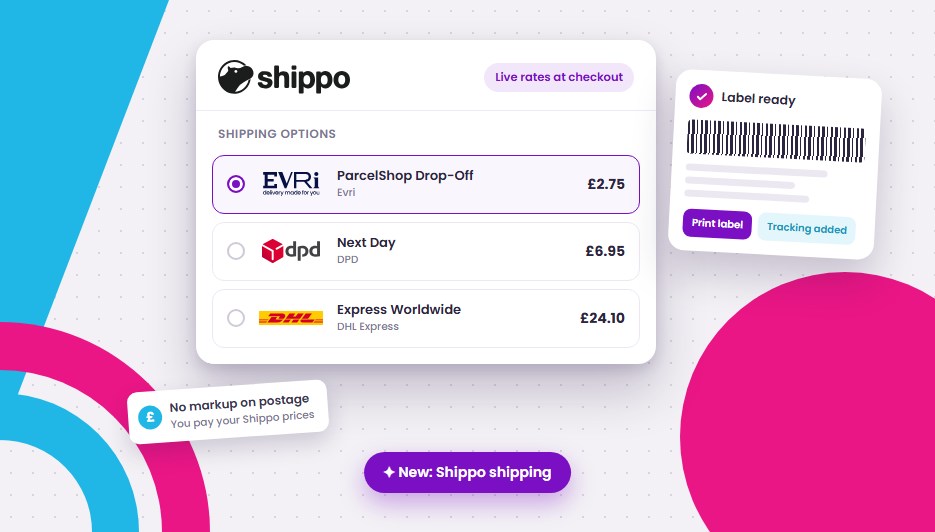
You can now connect Shippo to your Freewebstore store. Your shoppers see live carrier prices as they check out. When the order comes in, you buy the label, print it and add tracking from the order page, without opening another website.
Shippo is live today and free to add on every paid plan: Startup, Pro and Ridge.
Why this matters
Shipping is where a lot of small stores quietly lose money. Set a flat rate and you either overcharge the shopper buying one small item, or you pay the difference yourself on the heavy order. Then, once the order is in, you’re copying names and addresses into a courier website one at a time.
Shippo fixes both ends of that. Shoppers see what delivery actually costs for their basket and their address. You turn an order into a label in a few clicks.
What you get
- Live rates at checkout: shoppers choose from the carrier services you’ve ticked, each priced from your own Shippo account for that order.
- Labels from the order page: pick the service, buy the label and print it. No retyping addresses.
- Tracking: the tracking number sits on the order alongside the label.
- Returns: create a return label from the order. You’re only charged if your customer uses it.
- Voids: bought a label by mistake? Void it from the same place.
- Customs forms: sending abroad? They’re made with the label.
Which carriers?
- US stores: USPS, FedEx and DHL Express.
- UK stores: Evri, DPD and DHL Express.
Already have your own carrier account, such as UPS or Parcelforce? Add it in Shippo and use it from Freewebstore too.
What it costs
We add no fees and no markup to your postage. You pay for labels from your own Shippo account, at your Shippo prices. Your Freewebstore shipping credit isn’t touched, and stays for Generate Labels and platform fees.
How to set it up
- In your control panel, go to App Center > Shippo and click Enable App.
- Go to Manage > Shipping > Shippo and click Connect with Shippo. Sign in to your Shippo account, or create one there and then. (If you’d rather, you can paste a Shippo API token instead.)
- Tick the carrier services you want shoppers to choose from.
That’s it. Live prices show at checkout straight away, and every new order is ready for a label.


Good to know
- Your other shipping options keep working. Manual postage rules stay as they are, and so do Royal Mail delivery prices on UK stores, so shoppers can pick Royal Mail or a Shippo carrier in the same checkout.
- Old automatic rates switch off. Connecting Shippo moves your checkout onto our new shipping system, so any old automatic carrier rates stop showing. Shippo’s live rates take their place.
- Labels ship from your Ship From Address on Manage > Shipping. If a label shows the wrong sender, check there first.
- Voids are refunded by Shippo. The refund goes back to your Shippo account and can take up to 14 days. A label the carrier has already scanned can’t be voided.
- UK stores charging VAT: choose how VAT applies to delivery prices on Manage > Shipping > VAT on delivery charges. By default the price shown includes VAT, so shoppers pay exactly what they see.
- Prefer Pirate Ship? (US): we already have a Pirate Ship export. Go to Orders > Export, choose Pirate Ship file and upload it with Pirate Ship’s spreadsheet upload: one row per order still to ship, with the address and weight. Pirate Ship has no public API, so it can’t be connected directly. After buying the labels, mark those orders as dispatched (so they aren’t exported again) and add the tracking numbers to each order.
Ship your next order with Shippo
If you’re on Startup, Pro or Ridge, head to App Center > Shippo and you’ll be set up in a few minutes. For the full rundown, see the Shippo page (or the UK version).
On Community? Have a look at the plans. Shippo is one of the extras you get on Startup and above.
Leave a Reply