
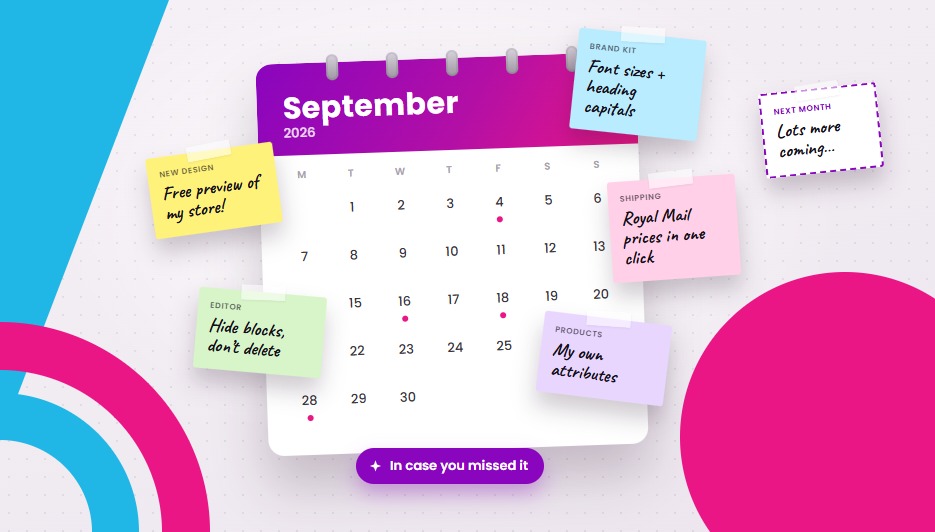
October’s here, so it’s time to catch up on everything we launched in September. It was our busiest month of the year for updates, so grab a cuppa. Here’s a quick tour of what’s new, from a free preview of your store in our new design to Royal Mail prices you can load in one click.
The short version:
- See your store in the new design, for free. If your store is on one of our older designs, you can now preview it in the new EPIC design straight from your dashboard. Free plans included.
- More Brand Kit choices and an easier editor. Pick your font size, choose how headings are capitalised, hide blocks without deleting them, and more.
- Your own product details. Add things like “Material” or “Wattage” to your products, and link straight to ready-made collections like New or Offers.
- Royal Mail prices in one click. Every UK store can load the official Royal Mail price list instead of typing in shipping rules by hand.
Let’s dig in.
Try the new design on your own store
Wondering what your store would look like in our new EPIC design? Now you can see for yourself, without changing a thing on your live store.
If your store is on one of our older designs, look for the new design panel on your dashboard. It builds a private preview of your store, with your products, in the new design. You’ll get a screenshot to look over, answers to the questions most people ask, and a button to make the switch when you’re happy. That’s it.
The preview is free on every plan, including our free plan. On a paid plan you can also click Request changes and tell our team what you’d like done differently before you switch.
No Brand Kit? No problem. You don’t need to finish your Brand Kit before you build a preview. If you finish it later, we’ll offer to rebuild your preview so it matches your colours and logo.
New Brand Kit choices
If your store is on the new design (or once you’ve switched), you’ve got a few new touches that make a big difference to how your store feels:
- Font size. Choose Compact, Default, Comfortable or Large, in the Brand Kit or in the editor. Great if your customers like a bit more breathing room (or a bit less).
- Heading capitals. Show your headings in Title Case, or exactly as you typed them. Your call.
- Suggested searches. The Brand Kit suggests phrases your customers might search for, and you can add them in one click.
- A notification bar in your colours. The bar across the top of your store now picks up your brand colours automatically.
- Maps that find you. Map blocks now show your store’s location automatically, with nothing to set up.
An easier editor
The editor for the new design is now more forgiving, so you can move your blocks around without worrying about your live store.
- Hide and show blocks. Hide any block without deleting it, then bring it back whenever you like. Perfect for a seasonal banner or a sale you’ll run again next year.
- Deletes wait for Publish. Deleting a block no longer changes your live store straight away. It only goes when you press Publish, and Discard brings it back. Changed your mind? No harm done.
- Show products from a category. “Products to show” can now be a category. Pick one and the block fills itself with that category’s products.
- Suggested images. A new “Suggested” tab helps you find the right image faster.
- Date and time pickers for any date field, so no more typing dates by hand.
- More pages you can edit. Your Contact page and the details on your product pages now open in the editor too.
- Shortcut links. Some blocks get their content from your settings (your contact details, for example). Those blocks now link straight to the place where you change them.
Products
- Your own product attributes. Add the details that matter for what you sell, like “Material”, “Wattage” or “Fit”, not just the standard Google ones. You can show them as handy spec lines on your product cards.
- Ready-made collection links. Link straight to collections we keep up to date for you, from your menus and buttons:
/groups/new: your newest products/groups/offers: products on offer/groups/popular: your most popular products/groups/featured: your featured products/groups/top-rated: your best-reviewed products/groups/in-stock: everything that’s in stock
- Bulk-price buttons. If you offer a lower price for buying more, shoppers can now tap a quantity and see the running total straight away.
- “Notify me” on product cards. Products that aren’t available say so right on the card, with a button shoppers can use to get an alert when they’re back.
- Pack sizes now show correctly in the new designs.
- Image edge cropping, your way. A new setting under Manage > Images lets you turn automatic cropping of empty image edges on or off.
- “Remove all fixed shipping” now works on big catalogues. It used to fail for stores with more than about 450 fixed-shipping products. Not any more.
Royal Mail prices in one click
This one’s for every UK store, free plans included.
Setting up shipping used to mean typing in your own shipping rules by hand. Now you can go to Manage > Shipping and load the official Royal Mail price list in one click. Your shoppers then see each Royal Mail service at checkout, with its price and a delivery estimate, so they can choose what suits them.
We’ve also made label and parcel forms smarter. They now use your store’s units and fill in your default parcel size for you, so there’s less to type for every order.
A smoother checkout for your shoppers
- Clearer card declines. When a card payment is refused, shoppers now see the real reason, in their own language, instead of a vague error. That makes it much easier for them to fix the problem and finish their order.
- Prices with and without VAT. Product pages in the new design show the price without VAT next to the price including VAT. Handy if you sell to businesses.
- Your reviews in Google. If you collect product reviews, they’re now shared with Google. That helps your products show star ratings in search results, which can help them stand out.
- The right language for search engines. Your pages now tell browsers and Google which language your store is in. We’ve also added a Portuguese (Portugal) translation option.
- Gift cards now work in the new designs, including their expiry details.
- Menu links can open in a new window, which is useful when you link to another site.
Your account and admin
- VAT / Tax Status in MyAccount. Every store can now see and update its VAT registration, right next to its subscription and invoices.
- Inbox filters. Your messages inbox now separates read and unread messages, with a new Read filter.
- Clearer order removal. If an order can’t be removed, we now tell you why.
- A heads-up before deleting a domain. Before you delete a domain, we’ll remind you that it can’t be transferred to another provider for 60 days afterwards.
Take a look
Most of these updates are already live, so there’s nothing to switch on. The design and editor changes are part of the new design, which is one more reason to take a look at your free preview. A good place to start:
- If your store is on an older design, open your dashboard and build your free preview of the new design.
- If you’re in the UK, head to Manage > Shipping and load the Royal Mail prices.
- Add a couple of your own product attributes and see how they look on your product cards.
What’s next
And we’re not slowing down. We’ve got lots more on the way next month, so keep an eye on your inbox.
Leave a Reply